« Return to Conference Room Guides
Instructions:
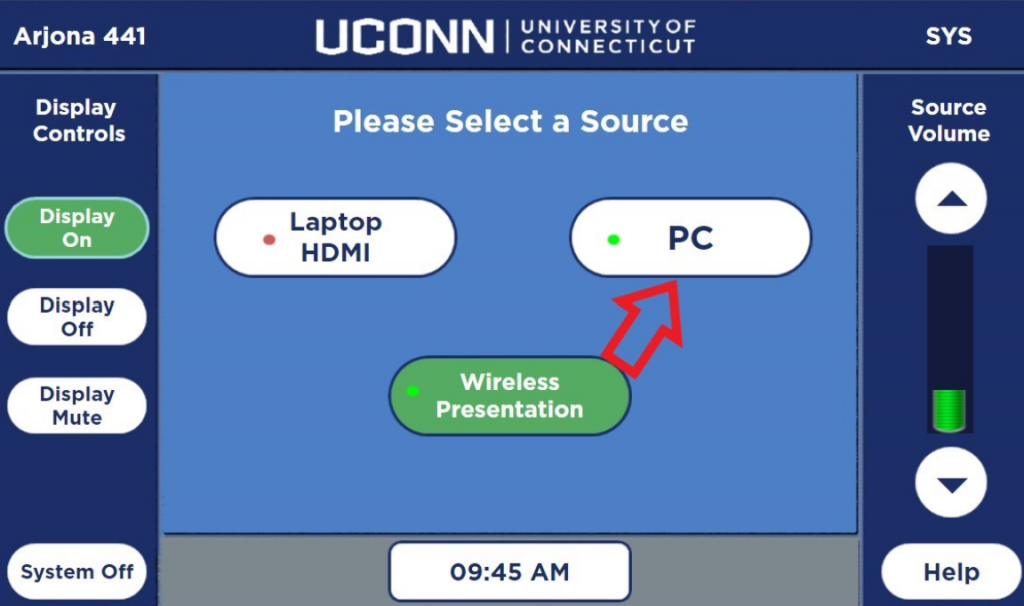
Touch the screen on the Extron Panel to wake it up
Select the PC option on the panel
Using the wireless mouse and keyboard, login to the PC using the same username and password you use to login to your work computer
NOTE! The USB hub on the top, right side of the system can be used to plug in flash drives to the PC
You should now be able to use the PC with the conference room system
Touch the Help button on the Extron Panel if you need tech support