« Return to Conference Room Guides
Instructions:
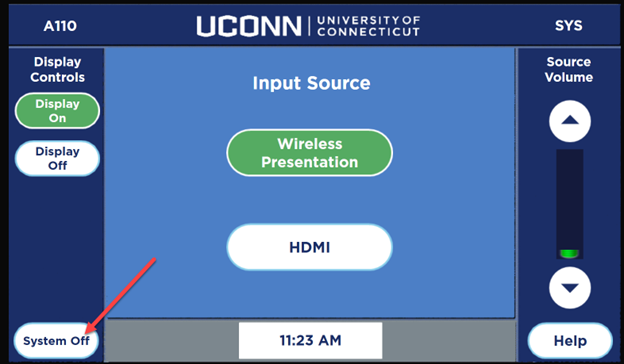
Touch the touch panel screen to wake it up, allow for a few moments while the system turns on:

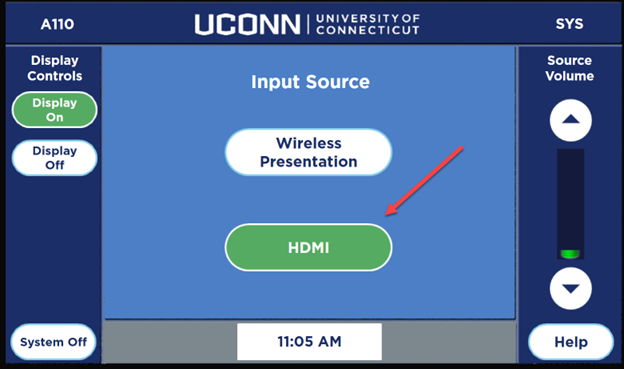
Once the system is initialized, select the input you want to use:
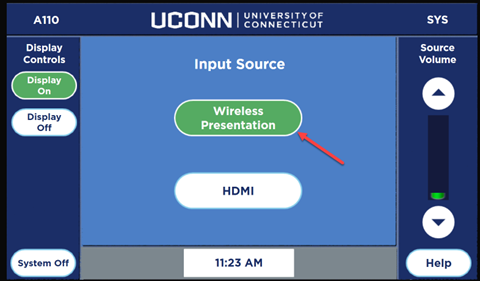
To use the presentation gateway, select the “Wireless Presentation” option
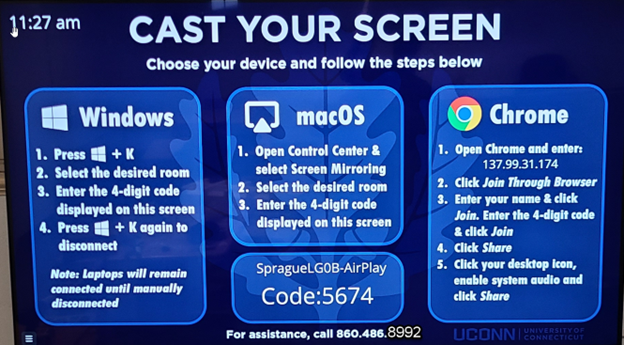
Follow the instructions that are displayed on the screen:
To use the HDMI wall plate, connect a HDMI cable to your device, and plug it into the HDMI wall plate that is located below the display:
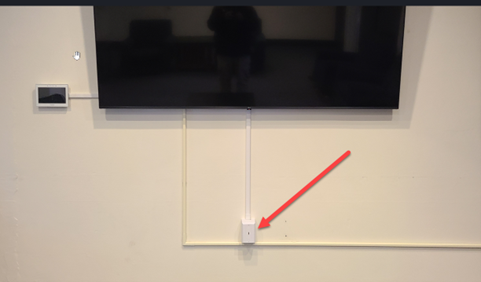
Note: DO NOT REMOVE ANY CABLES or PLUG ANYTHING INTO THE BACK OF THE DISPLAY, if you want to connect a device to the display, ONLY use the HDMI wall plate below the display
select “HDMI” from the home screen:
To Shutdown the system, press the “System Off” button: